I2C Troubleshooting
I2C device not found: Arduino and ESP32 scanner fix guide
If an I2C scanner finds nothing, the problem is usually wiring, power, ground, pullups, pin selection, or a wrong module type. Fix detection first; libraries cannot talk to a device the bus cannot see.
Direct answer
An I2C device is usually not found because SDA and SCL are swapped, ground is missing, the module is powered incorrectly, ESP32 code uses the wrong pins, SDA/SCL pullups are missing or pulled to the wrong voltage, the address is different from the example, or another device is locking the bus.
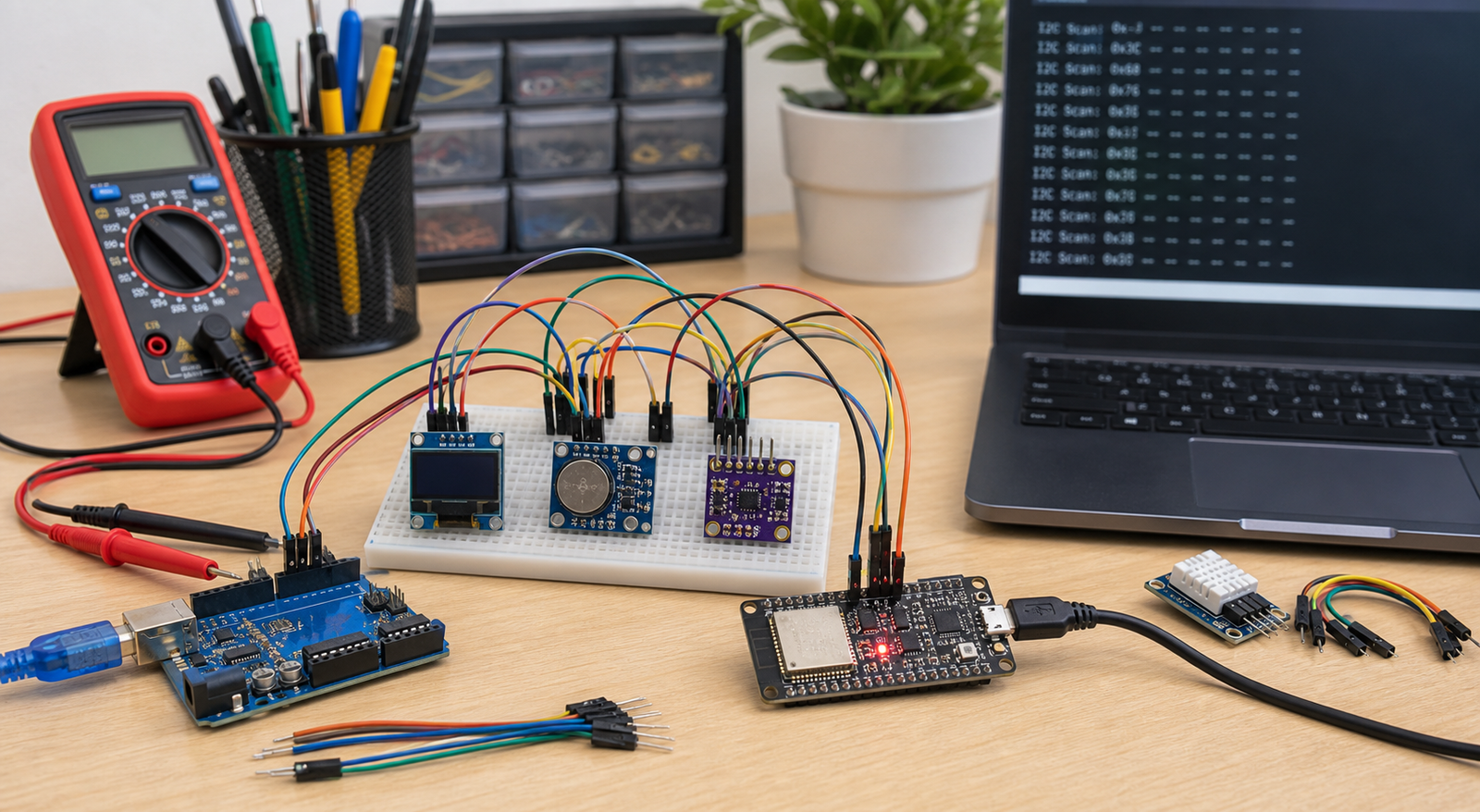
I2C symptoms and likely causes
| Symptom | Most likely cause | First fix to try |
|---|---|---|
| I2C scanner finds nothing | Wrong SDA/SCL, missing ground, no power, no pullups, or wrong pins in code | Check wiring and run scanner with one module only |
| Scanner finds address but library fails | Wrong address in code, wrong library, wrong chip/controller | Use the detected address and confirm module controller |
| Works on Arduino but not ESP32 | Wrong ESP32 SDA/SCL pins, voltage assumptions, or missing `Wire.begin()` pins | Try `Wire.begin(21, 22)` and 3.3V-safe wiring |
| Works alone but fails with multiple modules | Address conflict, too many pullups, bus capacitance, bad module locking bus | Scan one device at a time and compare addresses |
| Random I2C failures | Loose breadboard wires, long cables, weak pullups, noisy power | Shorten wires and improve power/ground layout |
I2C troubleshooting order
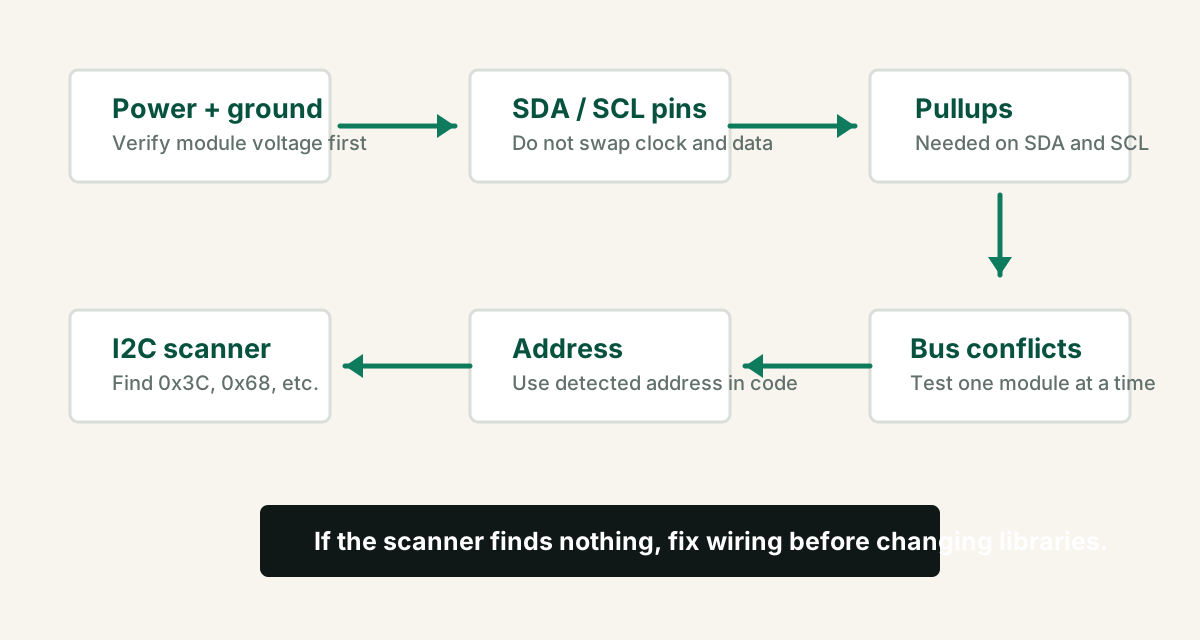
- Power the module at the correct voltage for that board.
- Connect module ground to Arduino or ESP32 ground.
- Wire SDA to SDA and SCL to SCL. Do not follow Arduino Uno A4/A5 wiring blindly on ESP32.
- Use a short, direct breadboard setup with one I2C module.
- Run scanner code and note the detected address.
- Use the detected address in the module example code.
- Add the second I2C module only after the first module works.
I2C scanner code for Arduino and ESP32
On Arduino Uno, `Wire.begin()` uses the board default I2C pins. On ESP32, use `Wire.begin(SDA, SCL)` when you want explicit pins.
#include <Wire.h>

void setup() {
  Serial.begin(115200);

  // ESP32 common pins:
  Wire.begin(21, 22); // SDA, SCL

  // For Arduino Uno, use:
  // Wire.begin();

  Serial.println("I2C scanner started");
}

void loop() {
  byte error, address;
  int devices = 0;

  for (address = 1; address < 127; address++) {
    Wire.beginTransmission(address);
    error = Wire.endTransmission();

    if (error == 0) {
      Serial.print("I2C device found at 0x");
      if (address < 16) Serial.print("0");
      Serial.println(address, HEX);
      devices++;
    }
  }

  if (devices == 0) Serial.println("No I2C devices found");
  delay(3000);
}
Arduino and ESP32 I2C pins
| Board | Common SDA | Common SCL | Important note |
|---|---|---|---|
| Arduino Uno / Nano | A4 | A5 | Also exposed as SDA/SCL on some boards |
| Arduino Mega | 20 | 21 | Different from Uno examples |
| ESP32 Dev Board | GPIO 21 | GPIO 22 | Can use other pins with `Wire.begin(SDA, SCL)` |
Pullup resistors and voltage level problems
I2C uses open-drain signals, so SDA and SCL need pullup resistors. Many breakout boards include pullups, but bare sensors or custom PCBs may not. Too many breakout boards can also create overly strong pullups.
- For ESP32, pull SDA/SCL to 3.3V unless the module and wiring are level-shifted safely.
- For Arduino Uno 5V projects, check whether the I2C module tolerates 5V logic.
- Typical pullups are often in the 4.7k to 10k range for simple short-wire projects.
- If many I2C modules are connected, too many onboard pullups in parallel can affect bus behavior.
Do not assume a 5V I2C module is safe for ESP32 pins. Check whether the breakout includes level shifting or use proper level shifting.
Common I2C addresses
Example code often assumes one address, but modules can ship with a different address. Scanner output wins over assumptions.
| Module | Common addresses | What can go wrong |
|---|---|---|
| OLED display | 0x3C, 0x3D | Wrong address or SSD1306 vs SH1106 controller |
| DS3231 RTC | 0x68 | Dead coin cell does not usually stop I2C detection |
| I2C LCD backpack | 0x27, 0x3F | Wrong backpack address in LCD code |
| BMP/BME sensors | 0x76, 0x77 | Address jumper or wrong library variant |
When multiple I2C modules fail together
If each module works alone but the combined bus fails, you may have an address conflict, one faulty module holding SDA/SCL low, long wiring, weak power, or too much bus capacitance.
- Scan after adding each module.
- Check whether two modules share the same fixed address.
- Keep wires short for breadboard projects.
- Avoid mixing 3.3V-only modules with 5V pullups.
- Disconnect the last added module if the scanner suddenly finds nothing.
FAQ
Why does my I2C scanner find nothing?
The most common causes are wrong SDA/SCL wiring, missing ground, wrong power voltage, missing pullup resistors, damaged module, wrong ESP32 pins in code, or a module that is not actually I2C.
What are the default ESP32 I2C pins?
Many ESP32 Arduino examples use SDA on GPIO 21 and SCL on GPIO 22, but ESP32 can use other pins if you define them with `Wire.begin(SDA, SCL)`.
Do I2C devices need pullup resistors?
Yes. I2C requires pullup resistors on SDA and SCL. Many breakout modules already include them, but bare sensors or custom circuits may need external pullups.
Can two I2C devices have the same address?
Yes, and if neither module supports changing address, they cannot share the same I2C bus without extra hardware such as an I2C multiplexer.
Scanner still finds nothing?
Get the free Electronics Project Rescue Pack. It includes wiring, power, sensor, module, ESP32, and breadboard-to-PCB checklists.
Get the free rescue pack