ESP32 Power Troubleshooting
ESP32 keeps resetting: brownout, watchdog, and power fix guide
An ESP32 that resets repeatedly is usually telling you something useful. The serial monitor may reveal brownout, watchdog, boot loop, panic, or reset-reason clues that point to power, wiring, pins, or code.
Direct answer
ESP32 reset loops are most often caused by weak USB power, voltage dips on the 3.3V rail, relay or motor noise, WiFi current bursts, external wiring on boot pins, or blocking code that triggers the watchdog. Test the bare board first, then add modules back one at a time.
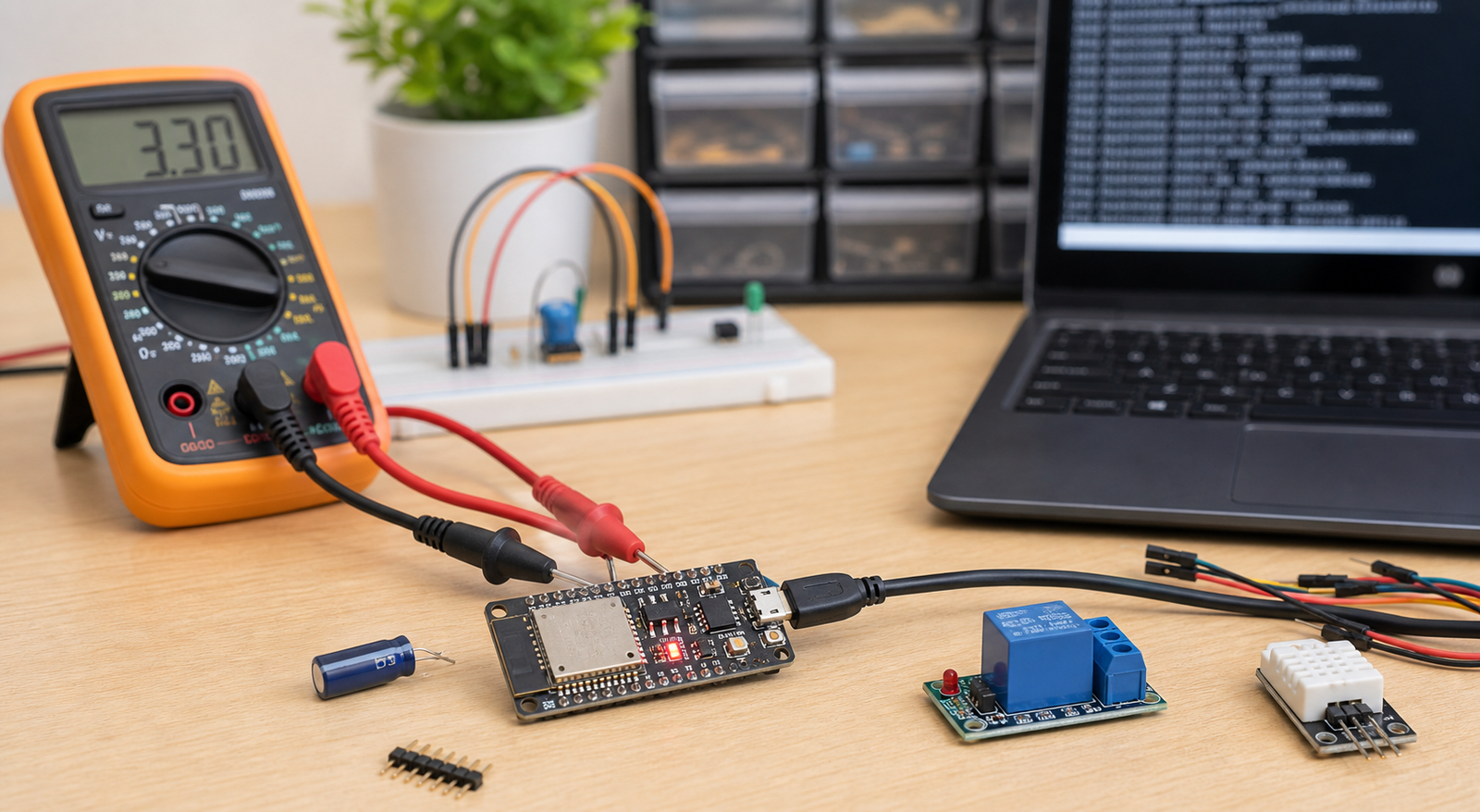
ESP32 reset symptoms and likely causes
| Symptom or message | Most likely cause | First fix to try |
|---|---|---|
| Brownout detector was triggered | Supply voltage dipped too low | Use stronger power, shorter wires, and decoupling capacitors |
| ESP32 resets when WiFi starts | WiFi current burst exposes weak USB cable or regulator | Try better USB cable and stable external supply |
| ESP32 resets when relay or motor switches | Voltage dip, inductive noise, ground bounce, or load wiring issue | Separate load power, add flyback protection and decoupling |
| Watchdog reset | Blocking loop, long delay, stuck task, or code starving system tasks | Remove blocking code and test minimal sketch |
| Boot loop after wiring project | Boot strapping pins pulled wrong by external circuit | Disconnect GPIO0, GPIO2, GPIO12, GPIO15 loads and retest |
ESP32 reset diagnosis order
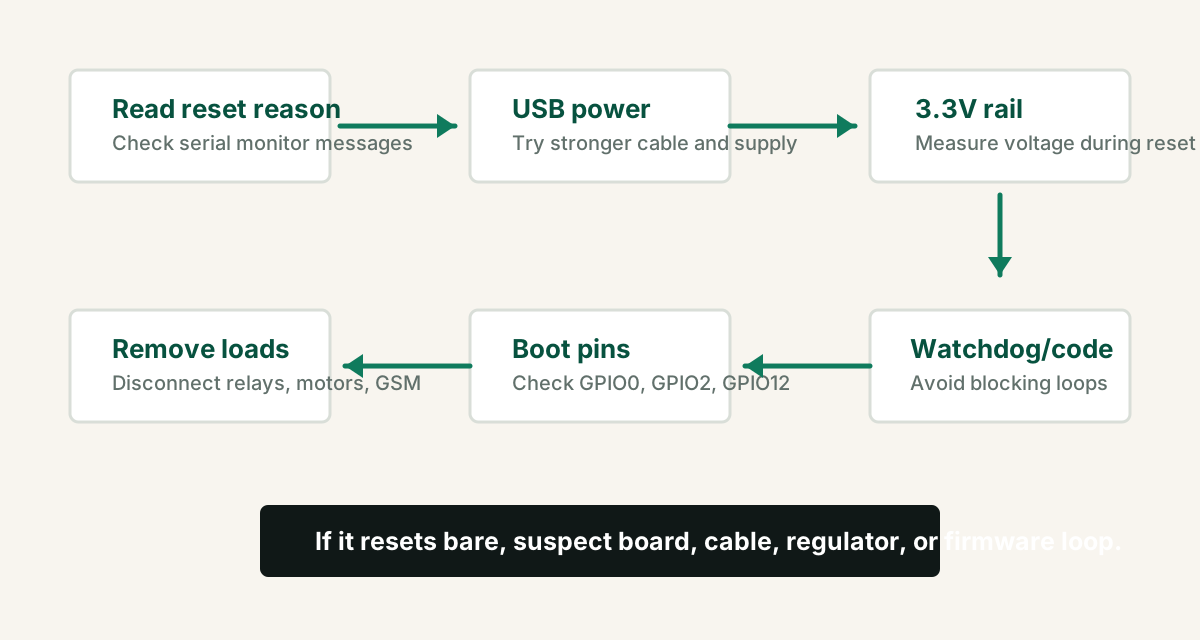
- Open Serial Monitor at the correct baud rate and copy the reset message.
- Upload a minimal blink sketch and test the bare ESP32 board.
- Replace the USB cable and avoid weak USB hubs.
- Measure 5V/VIN and 3.3V while the reset happens.
- Disconnect relays, motors, SIM800L, displays, and sensors.
- Reconnect modules one at a time until the reset returns.
- If power is stable, inspect watchdog, memory, boot pins, and firmware logic.
Brownout detector reset
Brownout means the ESP32 supply voltage fell below the safe operating threshold. This can happen even if a multimeter looks fine at idle. The dip may occur only for a short moment when WiFi transmits or a load turns on.
Try a short data cable and direct computer or stable adapter power.
Do not power relays, motors, SIM800L, or many modules from the ESP32 3.3V pin.
Add suitable capacitors close to noisy modules and power inputs.
Relays, motors, servos, and GSM modules
Loads that switch current quickly can reset the ESP32 even when the code is correct. Relays, motors, servos, pumps, solenoids, and GSM modules are common offenders.
- Use a separate supply for motors, servos, relay coils, and GSM modules when appropriate.
- Keep grounds common when signal lines connect between supplies.
- Use flyback diodes or proper driver modules for inductive loads.
- Keep high-current wiring physically away from ESP32 signal wiring.
- Add bulk and ceramic decoupling capacitors near load modules.
If your relay is switching AC mains, use proper isolation, enclosure, fuse, wire gauge, and qualified inspection. Do not debug live mains wiring on a breadboard.
Watchdog resets and blocking code
Watchdog resets happen when code blocks the system for too long. ESP32 WiFi and background tasks need CPU time. Infinite loops, long blocking network calls, badly written sensor waits, and heavy display updates can starve them.
- Avoid `while` loops that wait forever for WiFi, sensors, or servers.
- Add timeouts to network and sensor code.
- Break long work into smaller pieces.
- Use timers instead of huge blocking delays in complex projects.
- Test WiFi, sensor, display, relay, and cloud code separately before combining.
Boot pins can cause reset loops
Some ESP32 pins are checked during boot. If external circuits pull them to the wrong level, the board may fail to boot, enter download mode, or behave unpredictably.
| Pin area | Risk | Safer habit |
|---|---|---|
| GPIO0 | Can force bootloader/download mode | Avoid fixed external pull-downs |
| GPIO2 / GPIO15 | Can affect boot on many boards | Do not attach unknown loads during first tests |
| GPIO12 | Can affect flash voltage selection on some ESP32 setups | Avoid for beginner modules unless you know the board behavior |
| EN / RESET | Noise or pull-down causes repeated resets | Keep reset wiring short and clean |
Bare board test code
If the ESP32 resets even with this tiny sketch and no external wiring, suspect cable, port, board regulator, damaged board, or a bad board package/toolchain setup.
void setup() {
  Serial.begin(115200);
  pinMode(2, OUTPUT);
  Serial.println("ESP32 reset test started");
}

void loop() {
  digitalWrite(2, HIGH);
  delay(500);
  digitalWrite(2, LOW);
  delay(500);
}
FAQ
Why does my ESP32 keep resetting?
The most common causes are weak USB power, brownout on the 3.3V rail, relay or motor noise, external circuits pulling boot pins, watchdog resets from blocking code, or unstable wiring on a breadboard.
What does ESP32 brownout detector was triggered mean?
It means the ESP32 supply voltage dropped too low for reliable operation. Use a stronger power source, shorter wires, better decoupling capacitors, and avoid powering high-current modules from the ESP32 board regulator.
Why does ESP32 reset when relay turns on?
A relay can cause voltage dips, ground bounce, inductive noise, or load switching noise. Use a separate relay supply where appropriate, common ground, flyback protection, decoupling, and safer wiring.
Can bad code reset an ESP32?
Yes. Blocking loops, stack problems, memory misuse, watchdog timeouts, and crashes can reset the ESP32. Test minimal code first to separate firmware problems from power problems.
Still seeing resets after the bare-board test?
Get the free Electronics Project Rescue Pack. It includes power, wiring, ESP32, relay, sensor, and breadboard-to-PCB checklists.
Get the free rescue pack