Arduino USB Troubleshooting
Arduino not detected by computer: COM port and driver fix guide
If Arduino IDE does not show a port, the board cannot upload code yet. Start with the USB cable, driver, COM port, and board selection before debugging your sketch.
Direct answer
Arduino is usually not detected because the USB cable is charge-only, the CH340 or USB serial driver is missing, the board is not powered, the wrong COM port is selected, another app is using the port, or the USB-to-serial/bootloader on the board is damaged.
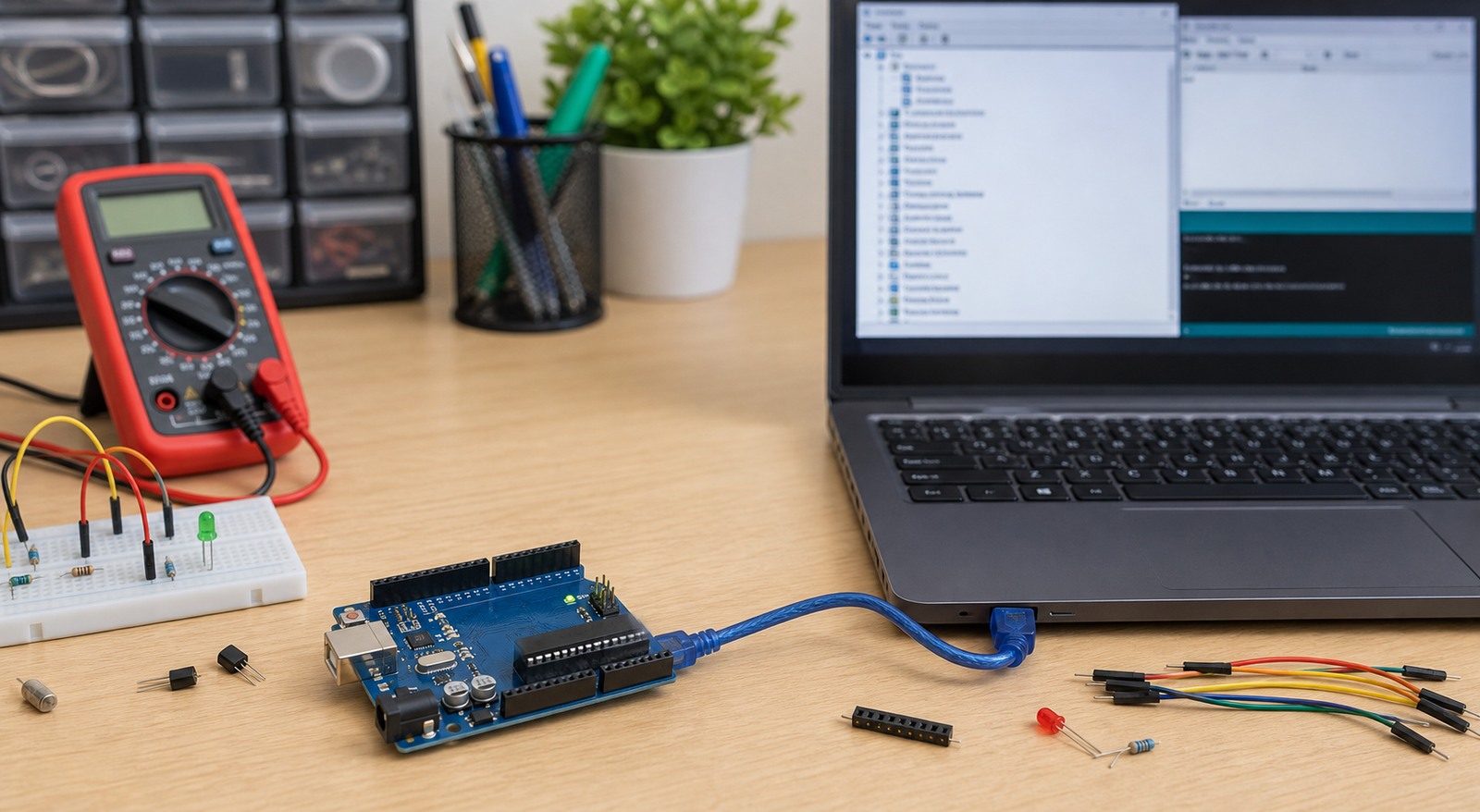
Arduino detection symptoms and likely causes
| Symptom | Most likely cause | First fix to try |
|---|---|---|
| No COM port appears | Charge-only cable, missing driver, bad USB port, or no board power | Use a known data cable and check Device Manager |
| USB device not recognized | Driver problem, bad cable, damaged USB chip, or clone board driver missing | Install CH340/CH341 or matching USB serial driver |
| COM port appears but upload fails | Wrong board, wrong processor, bootloader issue, or serial port busy | Select correct board/processor and close Serial Monitor/other apps |
| Board powers on but no serial port | Power-only cable or USB-to-serial chip/driver issue | Swap cable and check for CH340 or ATmega16U2 device |
| Port appears and disappears | Loose cable, weak USB port, board reset, or damaged connector | Try another port, cable, and inspect the USB socket |
Arduino detection fix order
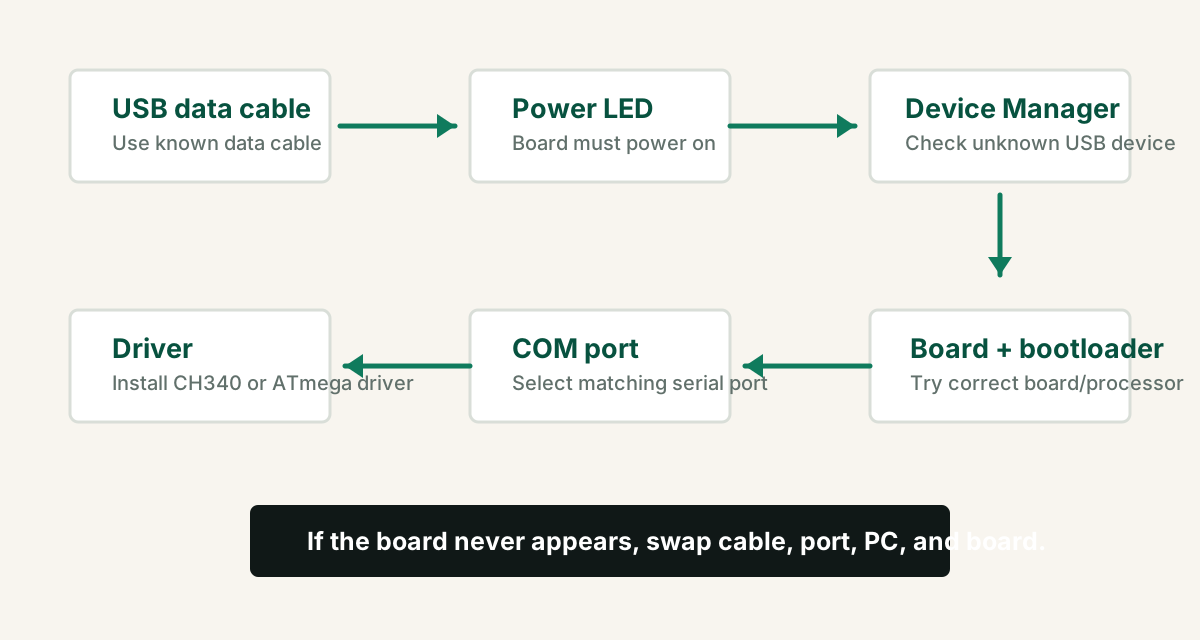
- Use a known USB data cable. Many USB cables only charge devices.
- Plug directly into the computer instead of a loose hub.
- Check whether the Arduino power LED turns on.
- Open Device Manager and plug/unplug the board to see what changes.
- Install the correct USB serial driver if the board appears as unknown.
- Select the correct board, processor, and COM port in Arduino IDE.
- Try a basic Blink upload after the port appears.
CH340, CH341, and official Arduino drivers
Many low-cost Arduino-compatible boards use a CH340 or CH341 USB-to-serial chip. Official boards and some clones use different USB interfaces. The driver depends on the chip on your board, not the Arduino shape.
Install the CH340 driver if Windows shows unknown USB serial device.
Usually supported by Arduino IDE drivers, but firmware can be damaged.
COM port may show, but upload fails until processor/bootloader is selected correctly.
Arduino IDE port, board, and processor settings
Once the COM port appears, select the correct board and processor. A wrong selection can make uploads fail even though the computer detects the board.
- For Uno-style boards, select Arduino Uno.
- For Nano clones, try Arduino Nano and the old bootloader option if upload fails.
- Close Serial Monitor, Serial Plotter, and other programs using the same COM port.
- Try another USB port if Windows assigns a strange or unstable COM port.
- Use Blink as the first upload test, not a large project sketch.
When it may be a bootloader or board problem
If the COM port appears but every upload fails, the bootloader may be missing or corrupted, the wrong processor is selected, or the board hardware may be damaged.
| Case | Meaning | Next step |
|---|---|---|
| COM port appears, Blink upload fails | Wrong board/processor or bootloader issue | Try correct Nano processor/old bootloader option |
| No power LED | Cable, USB port, regulator, fuse, or board damage | Try another cable/port and inspect board |
| Unknown USB device on every PC | USB interface or driver problem | Install driver; if still failing, test another board |
| Works on one PC but not another | Driver or permission issue on that computer | Install driver and restart IDE/computer |
External wiring can confuse detection and upload
If the board is detected when bare but not inside a circuit, remove external wiring. Shields, sensors, relays, motors, and modules can overload power, hold reset low, or occupy serial pins.
- Disconnect RX/TX pins during upload if another serial module is attached.
- Remove shields and test the bare board.
- Do not power motors, servos, or relay coils from the Arduino 5V pin during detection tests.
- Check whether external wiring is pulling RESET low.
FAQ
Why is my Arduino not detected by my computer?
The most common causes are a charge-only USB cable, missing CH340 or USB serial driver, bad USB port, damaged cable, board not powered, wrong board selection, or a damaged USB-to-serial chip.
Why is Arduino COM port not showing?
Arduino COM port may not show if the USB cable has no data wires, the driver is missing, Windows sees the board as an unknown USB device, the board is not powered, or another app is holding the serial port.
Do Arduino clone boards need CH340 driver?
Many Arduino-compatible clone boards use a CH340 or CH341 USB-to-serial chip and need the CH340 driver on Windows before a COM port appears.
Why does Arduino upload fail even though COM port appears?
Common causes are wrong board selection, wrong Nano processor or bootloader option, another app using the port, external wiring on RX/TX or RESET, or a missing/corrupted bootloader.
Board detected, but your project still fails?
Get the free Electronics Project Rescue Pack. It includes wiring, power, sensor, module, Arduino, ESP32, and breadboard-to-PCB checklists.
Get the free rescue pack